Case study · Banking
Investment Transaction Platform.
A platform-level redesign, built to stay coherent even when product rules differ.
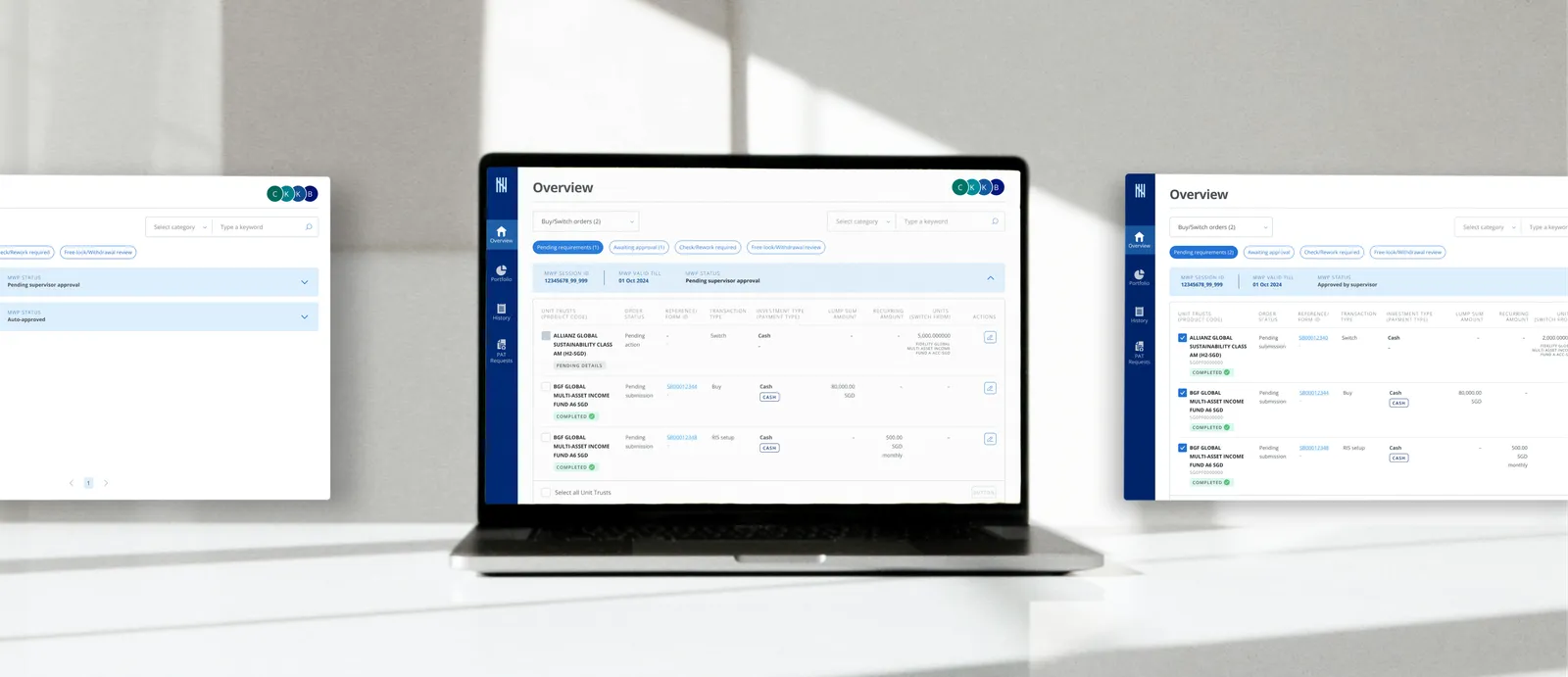
The challenge
An internal banking platform built for Unit Trust transactions needed to expand, supporting bonds, structured deposits, structured notes, and insurance. The problem wasn't just adding new product journeys. The platform's core logic, screen structure, and actions were all shaped around how Unit Trusts were transacted. That model didn't scale.
The project
A platform-level redesign across seven two-week sprints. The goal was not to make every product behave the same, but to create a system that feels coherent even when product rules differ, with a stronger overview structure, a scalable action hierarchy, and shared patterns that could support future growth. I led on a two-person design team, owning the platform architecture, how navigation, shared structure, and actions worked, while a co-designer drove the detailed screen design.
The core challenge was scale. The platform had been built around Unit Trust behaviour, from the order structure to the overview page and the action buttons. As new investment products were introduced, those patterns began to break. Three issues became clear.
Transaction model
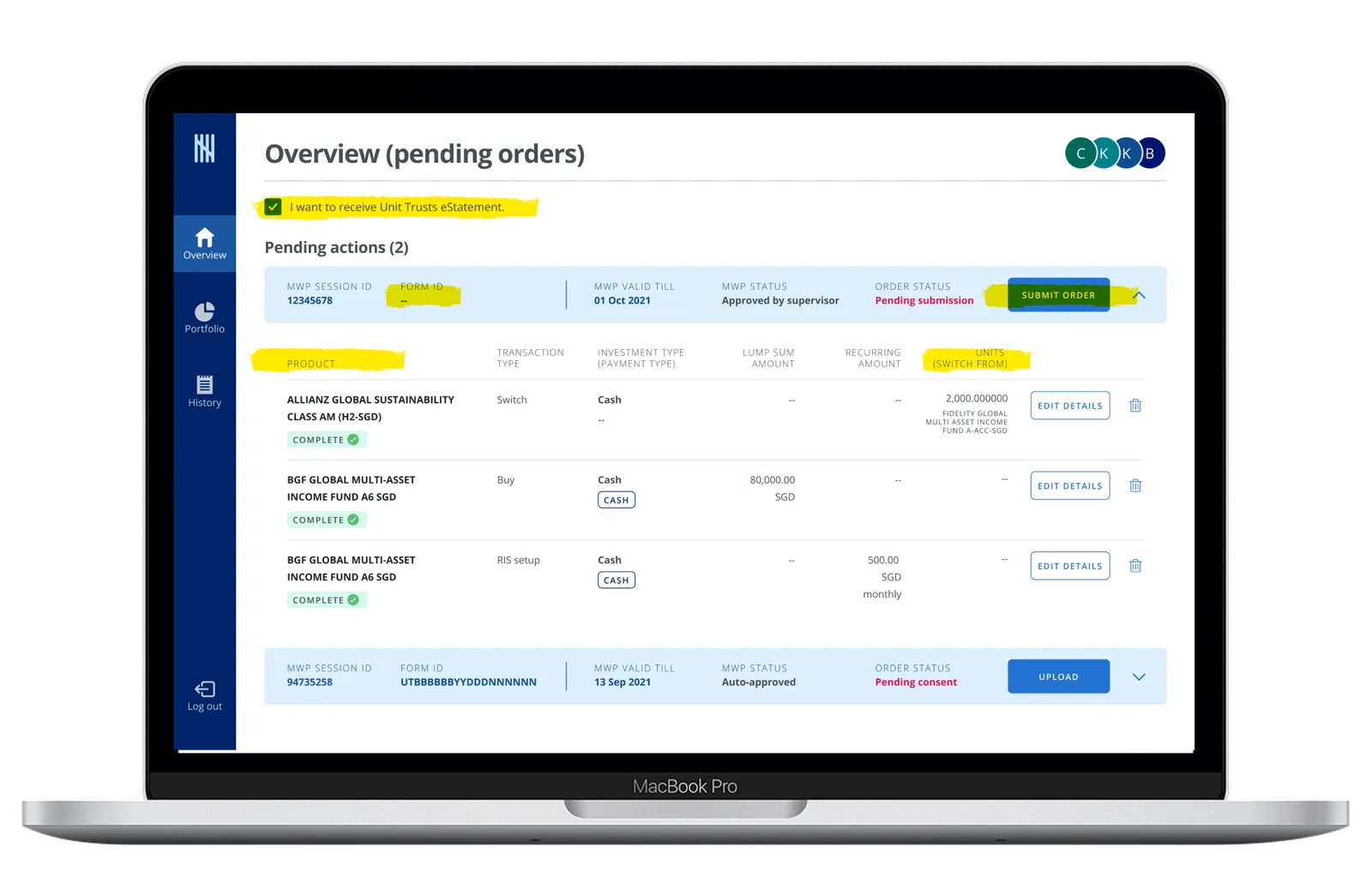
The order structure was too tightly tied to Unit Trust bulk-order logic. Products that required individual transactions couldn't fit the existing pattern.
Overview navigation
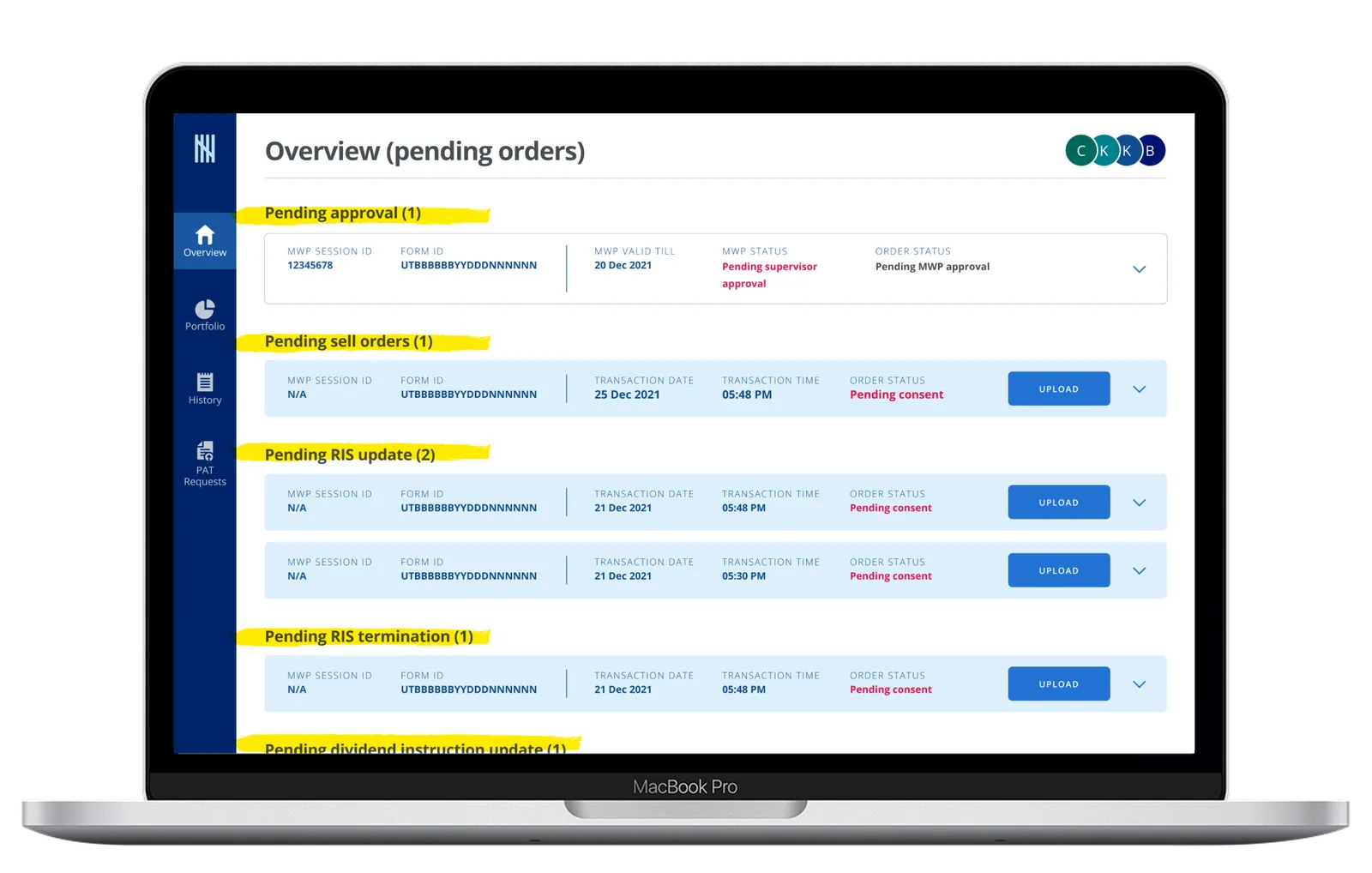
The overview page grouped all order types into one long scrollable screen, making work harder to scan and prioritise as products multiplied.
Action hierarchy
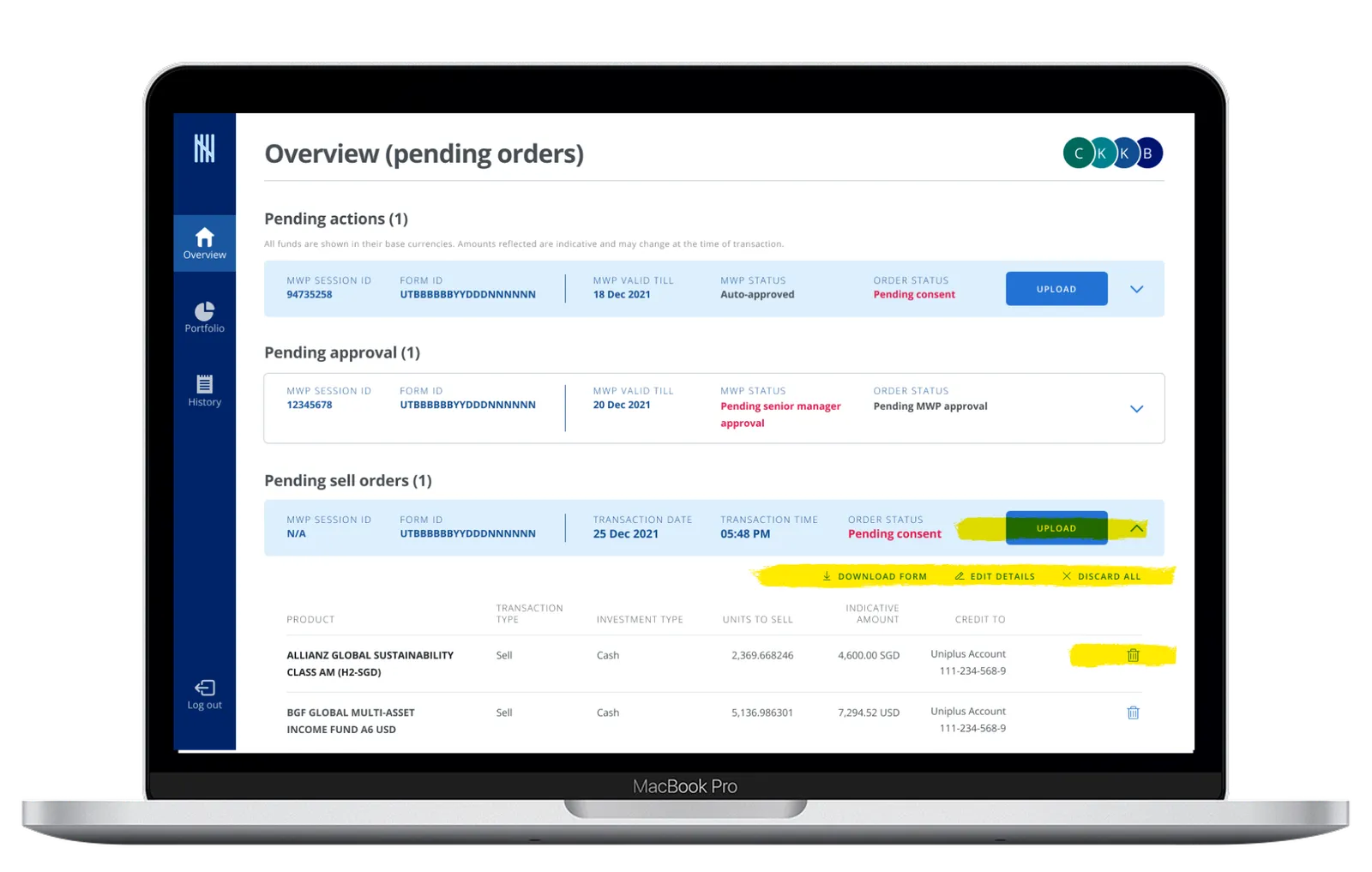
Secondary and utility actions appeared in inconsistent places as journeys grew more complex, making it unclear what the user should do next.
The project was scoped across seven two-week sprints, beginning with a full audit of the platform to understand what could scale, what needed redesign, and where the Unit Trust model would fail once more products were introduced.
This early phase focused on two things. First, understanding the impact of the new products with the business team, since each introduced different transaction rules, lifecycle needs, and display requirements. Second, reviewing the existing platform from a system perspective to assess which patterns could be extended, which needed a full redesign, and how a more scalable structure could be introduced without losing familiarity.
.webp)
Rethinking the overview as a workbench
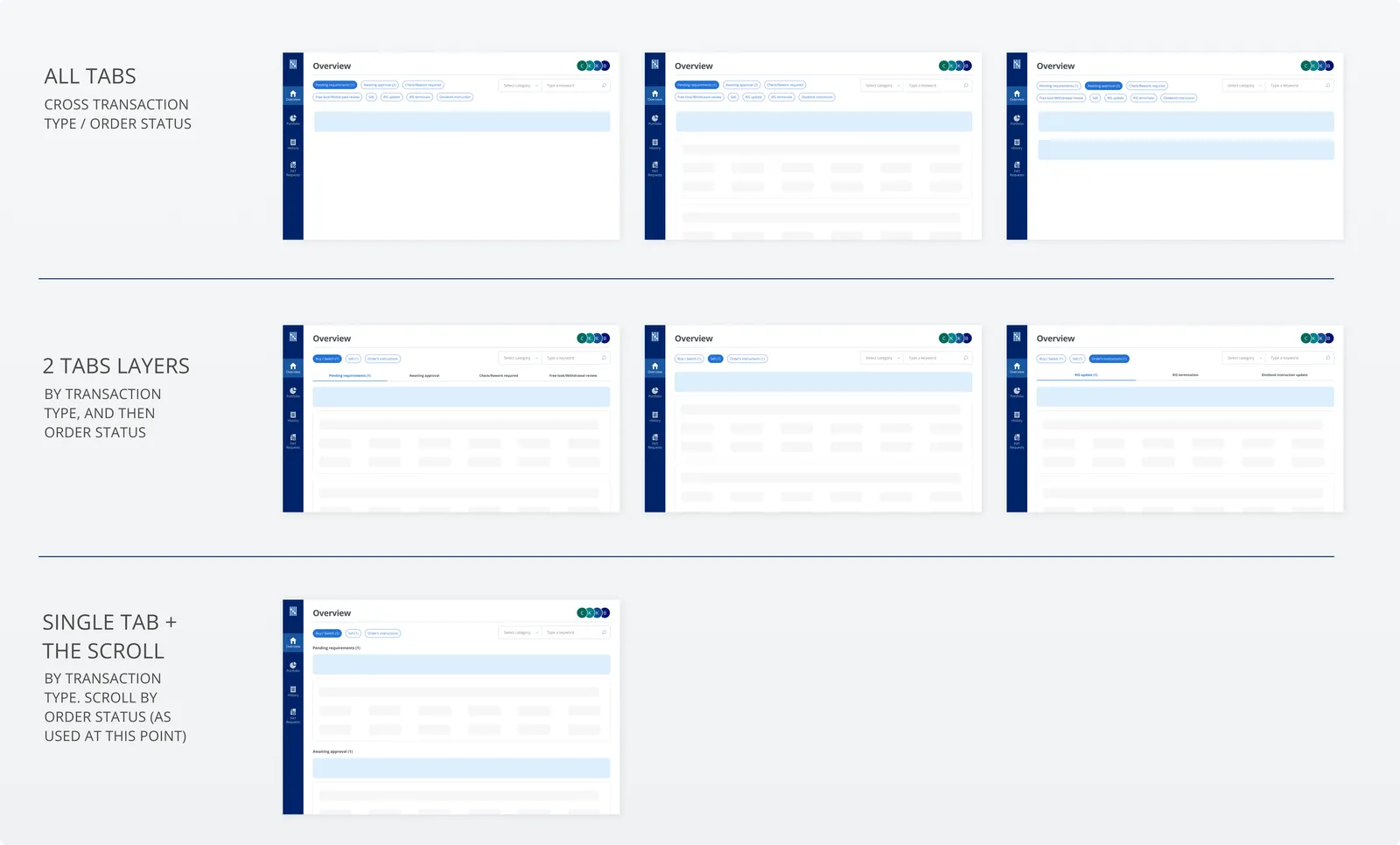
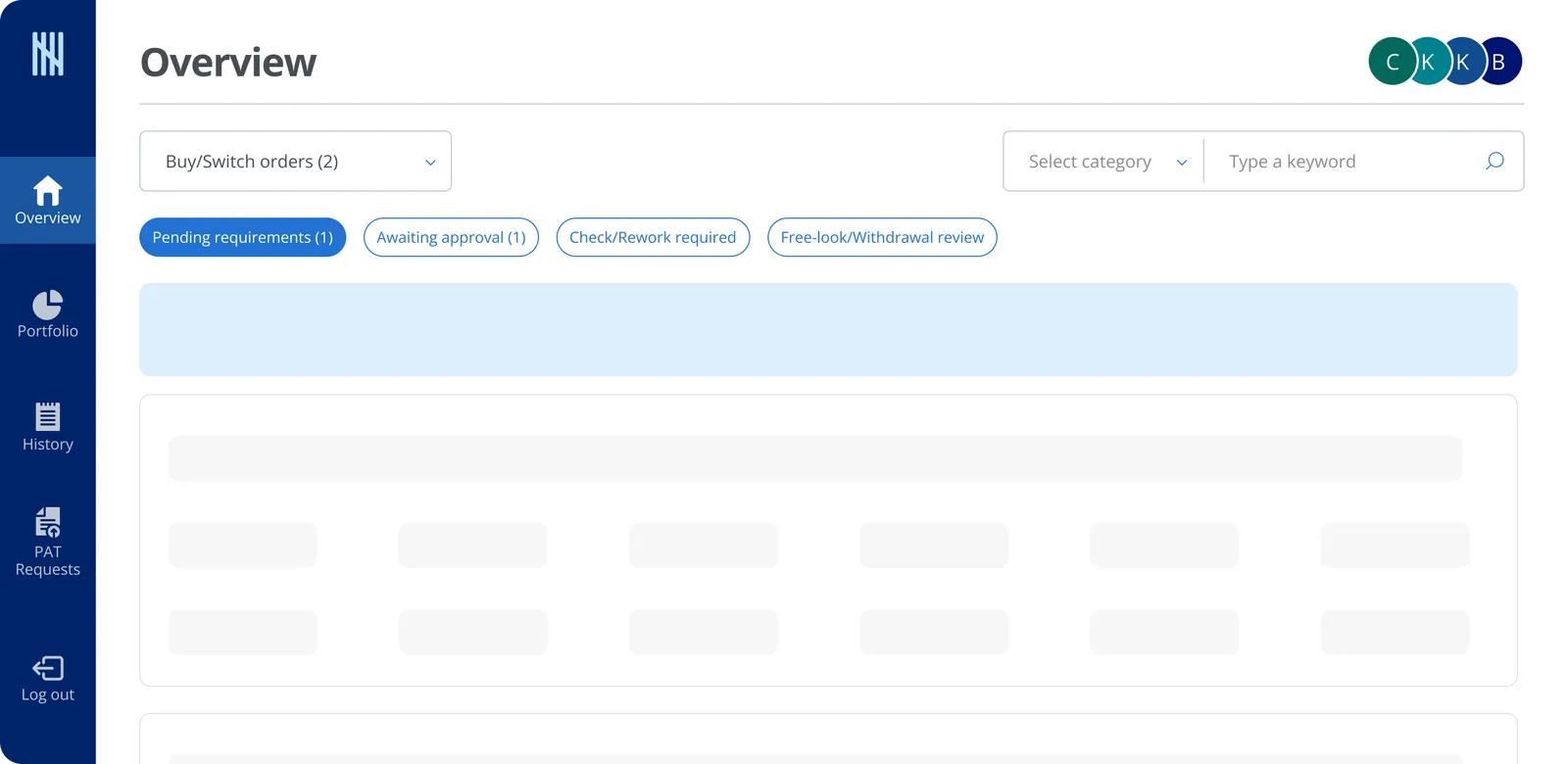
The original overview behaved like a long order feed, all order types in one scrollable page. As more product types and order states were added, this became harder to scan and prioritise. The redesign shifted the page toward a structured workbench: work grouped first by transaction family, Buy or Switch orders, Sell orders, Order instructions, then narrowed by lifecycle state. This created a stronger navigation model and a clearer mental model for future growth.
Creating a shared structure across products
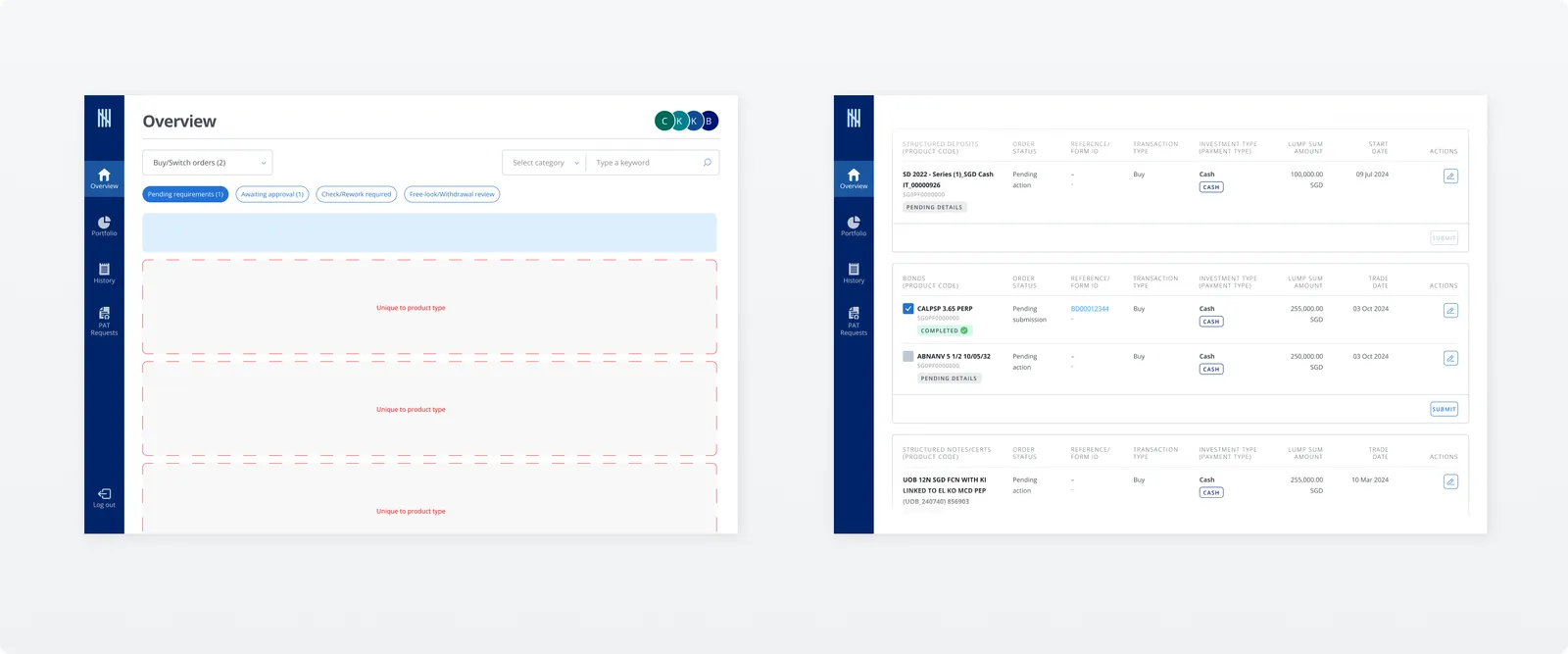
The redesign did not force all products into one generic table, nor split the experience into separate silos. Instead it introduced a common structural pattern across product sections, while allowing product-specific fields where needed. This mattered because some products supported bulk actions while others did not. The interface needed to stay consistent without pretending all products followed the same logic. Selection followed one rule: a single record shows no checkbox at all, and for non-bulk products, choosing one record greys out the rest, so the shared layout never implies a multi-select the product cannot support.
Building a scalable action system
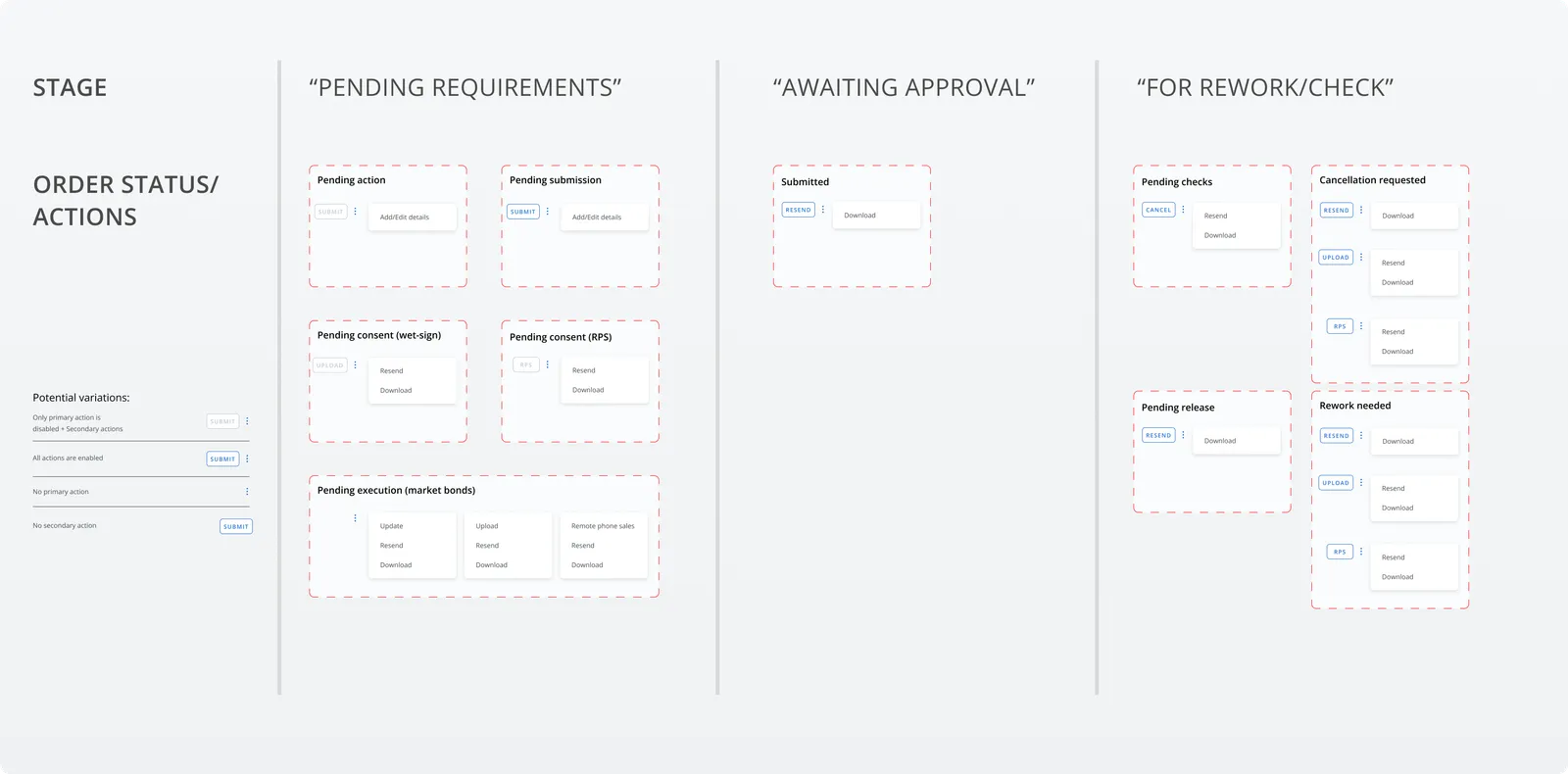
The action pattern was redesigned to create a clearer hierarchy. The previous design had accumulated tertiary buttons in inconsistent places as more products and states were introduced. The redesigned approach separated primary, secondary, and utility actions more explicitly, making the next step easier to understand and giving the platform a more scalable action model across lifecycle states.
The real value was the audit, not the screens. Accepting the lift-and-shift brief and designing straight away would have shipped five broken journeys on time. Pushing for a focused audit first, on the journeys most at risk, is what made the rest of the work matter.
The submit action itself had to move. In the Unit Trust world, one submit sent an entire advisory report, every product in the order at once. That could not hold when products transact individually. Submit moved down to the product level, where each product lives separately within the order, so an RM commits one product without committing the rest.
The platform moved from a Unit Trust-shaped workflow to a structure that can take on new products without a redesign each time. Scaling it was never only about adding flows, it was about the structure underneath that helps users find work, read status, and act with confidence.
- Project framing & ideationLed the briefing stage and early ideation for the redesign direction
- UIUX directionDefined the experience approach for the platform's most critical scaling areas
- Stakeholder alignmentAligned scope, priorities, and timeline with stakeholders and PM
- Platform redesignShaped overview navigation, action hierarchy, and scalable patterns